Production-Ready Debezium: 5 Production Problems and How WSO2 Integrator Solves Them
Change Data Capture (CDC) lets you stream database changes — inserts, updates, deletes — in real time, directly from the database's replication log. Debezium is the go-to open-source engine for this: it sits atop your database's WAL (Write-Ahead Log) and turns row-level changes into a stream your application can consume.
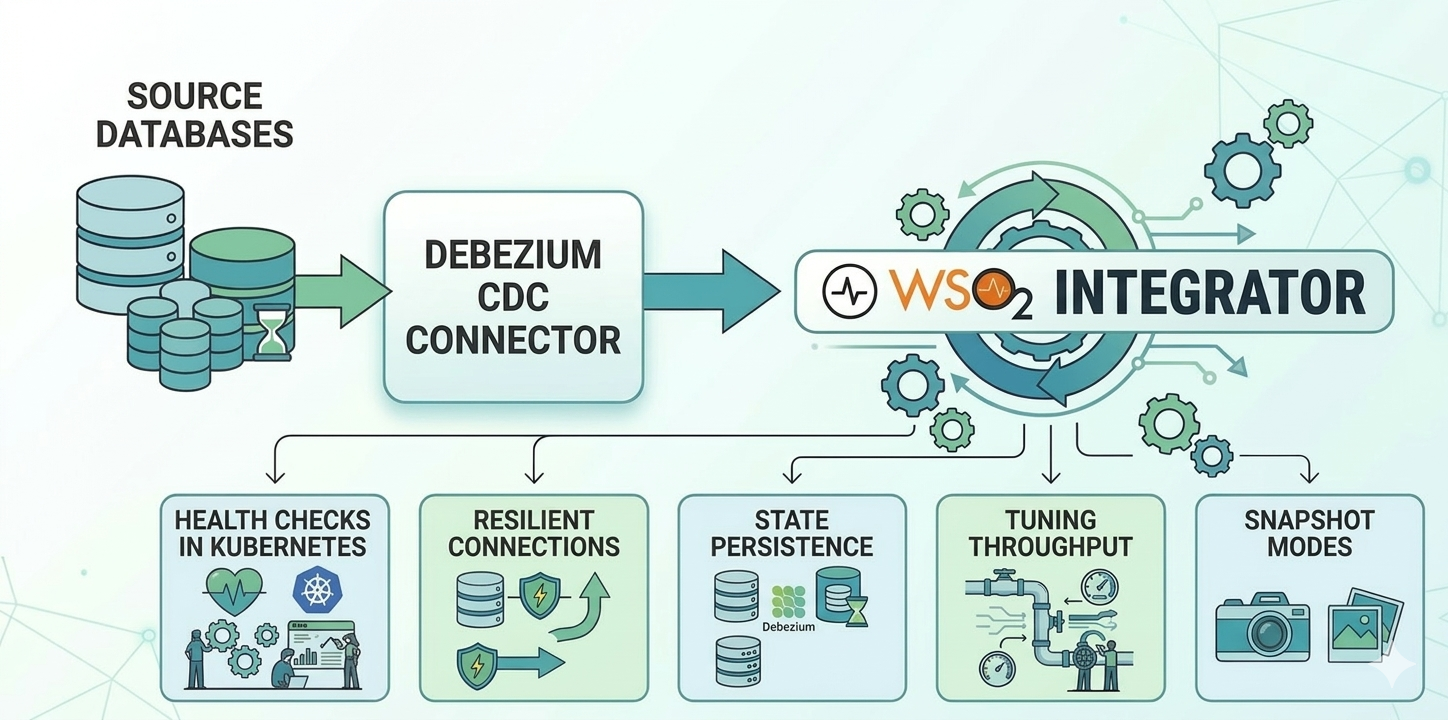
But running Debezium in production is a different story. Health checks, connection resilience, state persistence, throughput tuning, and startup behaviour all require careful configuration that isn't obvious from the quickstart docs. This post walks through five of those challenges and how the WSO2 Integrator CDC connector addresses each one with clean, type-safe configuration.
1. Health Checks in Kubernetes: Heartbeats and Liveness
Kubernetes relies on liveness probes to know whether a pod is healthy. Without one, Kubernetes has no way to detect a stuck or silently failing connector — the pod sits there doing nothing.
The WSO2 Integrator CDC connector exposes a cdc:isLive(listener) function that returns true if the listener has received at least one event within a configurable livenessInterval window (in seconds). Pairing this with an HTTP endpoint gives Kubernetes exactly the signal it needs:
listener postgresql:CdcListener postgresqlCdcListener = new (
    database = { ... },
    livenessInterval = 10 // in seconds
);

service / on new http:Listener(8080) {
    isolated resource function get liveness() returns http:Ok|http:ServiceUnavailable {
        boolean|error result = cdc:isLive(postgresqlCdcListener);
        return result == true ? http:OK : http:SERVICE_UNAVAILABLE;
    }
}
Kubernetes liveness probe
livenessProbe:
  httpGet:
    path: /liveness
    port: 8080
  periodSeconds: 10
This works well when your database is busy. But what about a healthy connector watching a quiet table? If no rows change for 15 seconds and your livenessInterval is 10 seconds, the probe returns false, and Kubernetes restarts a perfectly healthy pod.
This is where heartbeats come in. When heartbeatConfig.interval is set, Debezium periodically emits a synthetic event to keep the event stream active, even when no real data is changing. These heartbeat events count toward liveness — they reset the liveness timer just like real change events do.
The theoretical minimum is any value above heartbeatConfig.interval, but 2× is a safe ratio to absorb scheduling jitter during quiet database periods.
Here's the full wiring for a Kubernetes-ready PostgreSQL CDC service:
import ballerina/http;
import ballerinax/cdc;
import ballerinax/postgresql;
import ballerinax/postgresql.cdc.driver as _;

listener postgresql:CdcListener postgresqlCdcListener = new (
    database = {
        hostname: "localhost",
        port: 5432,
        username: "username",
        password: "password",
        databaseName: "postgresdb"
    },
    options = {
        heartbeatConfig: {
            interval: 5  // emit a heartbeat every 5 seconds
        }
    },
    livenessInterval = 10
);

@cdc:ServiceConfig {
    tables: "postgres.public.transactions"
}
service cdc:Service on postgresqlCdcListener {
    remote function onRead(Transaction afterEntry, string tableName) returns error? {
        // Handle event
    }

    remote function onCreate(Transaction afterEntry, string tableName) returns error? {
        // Handle event
    }

    remote function onUpdate(Transaction beforeEntry, Transaction afterEntry, string tableName) returns error? {
        // Handle event
    }

    remote function onDelete(Transaction beforeEntry, string tableName) returns error? {
        // Handle event
    }

    remote function onError(error err) {
        // Handle event
    }
}

service / on new http:Listener(8080) {
    isolated resource function get liveness() returns boolean {
        boolean|error result = cdc:isLive(postgresqlCdcListener);
        return result is boolean ? result : false;
    }
}

type Transaction record {|
    int id;
    string description;
    float amount;
|};
With this configuration:
- During active periods, real change events reset the liveness timer.
- During quiet periods, heartbeat events (every 5s) keep
isLive()returningtruewithin the 10s window. - If the connector truly stalls — no heartbeats, no real events —
isLive()correctly returnsfalse, and Kubernetes can intervene.
2. Resilient Connections: Retry Configuration
Database restarts, network blips, and maintenance windows are facts of life. The connector retries database connections by default, but without explicit configuration, you have no control over retry limits.
The WSO2 Integrator CDC connector provides ConnectionRetryConfiguration to define exactly how the connector should behave on connection loss:
listener postgresql:CdcListener postgresqlCdcListener = new (
    database = {
        hostname: "localhost",
        port: 5432,
        username: "username",
        password: "password",
        databaseName: "postgresdb"
    },
    options = {
        connectionRetryConfig: {
            maxAttempts: 10,
            retryInitialDelay: 1,  // wait 1 second before the first retry
            retryMaxDelay: 30      // cap the backoff at 30 seconds
        }
    }
);
The three knobs:
maxAttempts:-1retries indefinitely.0disables retries entirely. A positive integer caps the number of attempts.retryInitialDelay: how long to wait before the first retry, in seconds. Retry delays increase exponentially (×2 per attempt) after the first retry.retryMaxDelay: the ceiling on wait time as the connector backs off between attempts.
One thing worth making explicit: while the connector is retrying, no database changes are lost. When the connection is re-established, Debezium resumes from the exact offset at which it last committed. The retry configuration handles connection resilience; durable offset storage (covered in the next section) is what makes resuming from the right point possible.
3. State Persistence: Kafka for State Storage
Debezium tracks two pieces of state it cannot afford to lose:
- Offsets — its position in the database's WAL. Losing this means either re-processing all historical data from the beginning or missing events that arrived during the outage.
- Schema history — a log of DDL changes (
CREATE TABLE,ALTER TABLE) needed to correctly interpret binary log events. This is primarily relevant for MySQL and SQL Server; PostgreSQL includes schema information directly in its replication stream, so connectors for it don't rely on schema history.
By default, both are stored in files on the local filesystem. In a containerised deployment, this means a pod restart, node replacement, or deployment rollout wipes Debezium's entire state.
Kafka is the most popular storage mechanism due to its durability and scaling benefits.
Prerequisite: Topic creation
The Kafka topics must be created with specific cleanup policies before starting the connector — Debezium cannot create them with the right settings automatically.
The two topics need different policies:
- Offset topic —
cleanup.policy=compact. Debezium stores one entry per partition key (connector name + partition). Log compaction removes older entries but always preserves the latest value per key — exactly what offset tracking needs. - Schema history —
cleanup.policy=delete,retention.ms=-1. Schema history is a chronological log of every DDL change. Debezium needs to replay this full history to reconstruct the table structure at any point in time. Compaction would discard entries that are still critical for understanding past schema states.
bin/kafka-topics.sh --create --topic bal_cdc_internal_schema_history \
  --bootstrap-server localhost:9092 \
  --config cleanup.policy=delete \
  --config retention.ms=-1

bin/kafka-topics.sh --create --topic bal_cdc_offsets \
  --bootstrap-server localhost:9092 \
  --config cleanup.policy=compact
Connector configuration
listener mysql:CdcListener mysqlCdcListener = new (
    database = {
        hostname: "localhost",
        port: 3306,
        username: "username",
        password: "password",
        includedDatabases: "mysqldb"
    },
    offsetStorage = {
        bootstrapServers: "localhost:9092",
        topicName: "bal_cdc_offsets"
    },
    internalSchemaStorage = {
        bootstrapServers: "localhost:9092",
        topicName: "bal_cdc_internal_schema_history"
    }
);
Once topics are provisioned, connector restarts resume from exactly the last committed offset — whether pods are rescheduled, nodes replaced, or deployments rolled out.
4. Tuning Throughput: Batch Size and Queue Size
There is a queue between the WAL reader and your handlers, and a batch size that controls how many events are drained from that queue per delivery cycle.
Database WAL
    ↓
Internal Queue  ← bounded by maxQueueSize
    ↓
Poll Batch      ← bounded by maxBatchSize
    ↓
Service Handlers (onCreate, onUpdate, onDelete, ...)
maxQueueSize (default: 8192) — the maximum number of change events held in the internal queue at any time. When the queue fills up, the connector pauses reading from the database until space opens up. This is your primary memory control lever.
maxBatchSize (default: 2048) — the maximum number of events drained from the queue and delivered to your handlers per poll cycle. Larger batches mean higher throughput; smaller batches mean events reach your handlers sooner within each cycle.
listener postgresql:CdcListener postgresqlCdcListener = new (
    database = { ... },
    options = {
        maxQueueSize: 8192,
        maxBatchSize: 2048
    }
);
An additional maxQueueSizeInBytes option is available under performanceConfig if you need to cap memory consumption by bytes rather than event count — useful when event sizes vary significantly.
Tuning guidance:
- High-throughput workloads — increase both
maxQueueSizeandmaxBatchSizeto reduce per-event overhead. - Memory-constrained environments — lower
maxQueueSize(and considermaxQueueSizeInBytes) to cap heap usage. - Latency-sensitive workloads — reduce
maxBatchSizeso events reach handlers faster within each poll cycle. - Most workloads — the defaults (8192 / 2048) are a reasonable starting point; adjust only when you observe backpressure or memory pressure.
5. Getting the Starting Point Right: Snapshot Modes
When Debezium first connects to a database — or reconnects after an outage — it has to decide: do I start fresh and read all existing data, or do I continue from where I left off?
Getting this wrong is consequential. The wrong snapshot mode can mean re-processing millions of historical rows on every restart, or silently missing events that arrived while the connector was down.
The WSO2 Integrator CDC connector exposes this through snapshotMode in the options:
listener postgresql:CdcListener postgresqlCdcListener = new (
    database = { ... },
    options = {
        snapshotMode: INITIAL  // the default
    }
);
INITIAL (default)
Performs a full snapshot on the first run — reads all existing rows and delivers them as onRead events — then switches to streaming. On subsequent restarts, it resumes from the stored offset. This is the right default for most production deployments.
ALWAYS
Performs a full snapshot on every startup. Useful when you want a guaranteed, consistent full view on each run, but expensive for large tables and unsuitable when relying on stored offsets for exactly-once processing.
NO_DATA
Snapshots the schema but not the data. Use this when you only care about changes going forward — a common pattern in event-sourcing scenarios where historical state is irrelevant.
WHEN_NEEDED
Snapshots only if the stored offset is missing or invalid. A smart failsafe — it recovers gracefully from lost offset storage without performing unnecessary snapshots during normal restarts.
A practical decision guide
Do you need existing rows on first run?
├── Yes → INITIAL (default)
│
└── No → Do you need schema history only?
    ├── Yes → NO_DATA
    │
    └── No → Do you want a full snapshot on every restart?
        ├── Yes → ALWAYS
        │
        └── No → WHEN_NEEDED
Conclusion
Debezium is a mature CDC engine, but production deployments consistently surface the same set of challenges: health probing for Kubernetes, connection resilience, state persistence across restarts, throughput tuning, and correct startup behaviour.
Each of these is a knob you'd have to reach for eventually in any serious Debezium deployment. The WSO2 Integrator CDC connector makes sure they're all there — and easy to set — when you need them.
To get started, see the CDC integration guide and the CDC module reference.